Market Watch
A Watchlist in the ANT Trading Platform is a personalized list where you can add and track your preferred stocks, indices, or commodities in one place. It helps you monitor live prices, percentage changes, and market movements quickly.
Watchlist Features in ANT
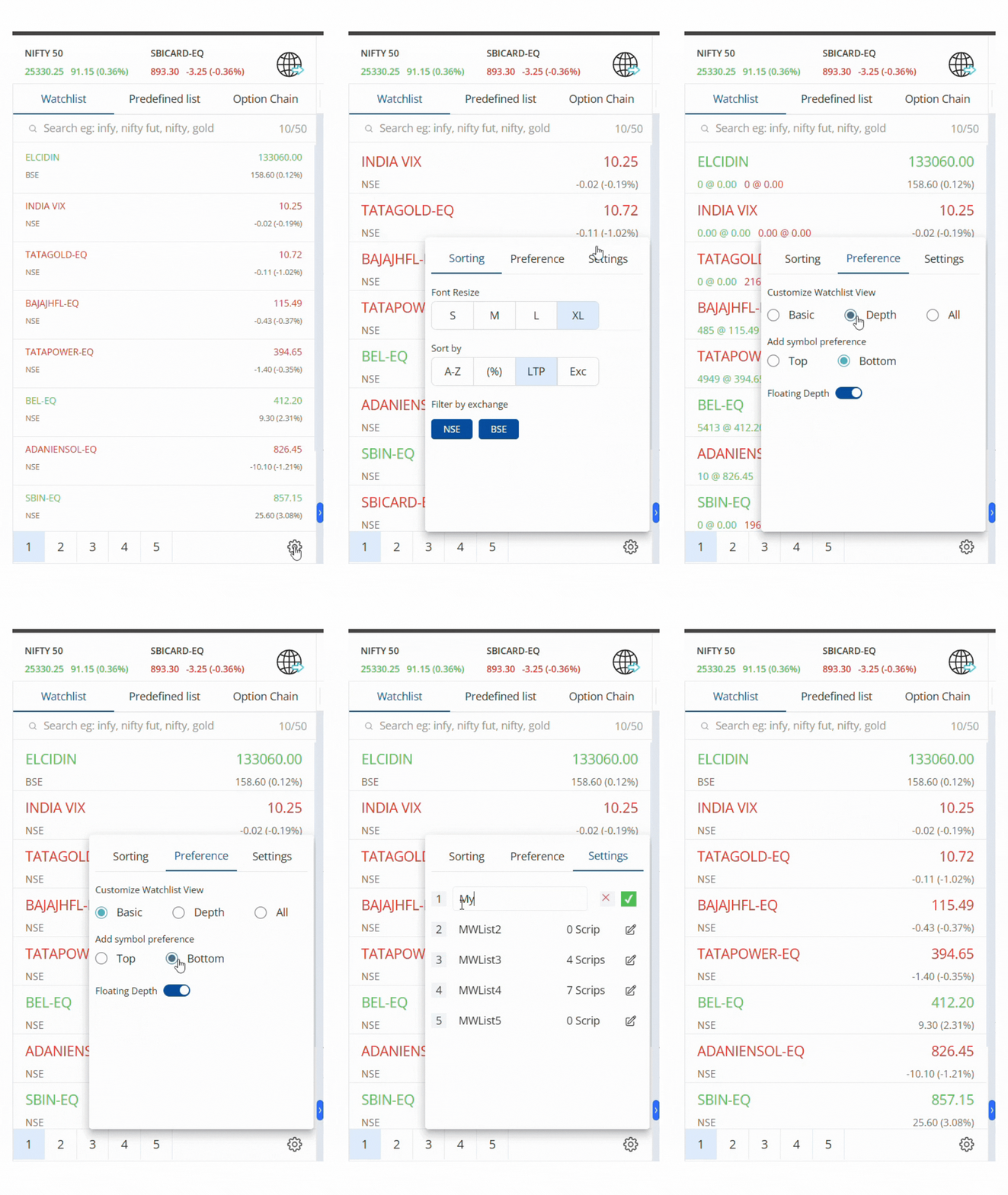
- Use the Search Box to instantly find stocks, indices, commodities, and contracts across all exchanges and segments.
- ANT provides 5 marketwatches, each with a limit of 50 instruments. Switch between them by clicking the respective number.
- Stocks in your holdings are marked with a briefcase icon, showing the number of shares you own.
- Display options such as direction, price change, and holding symbols can be shown or hidden by ticking/unticking the box in settings.
- The Market Depth Window shows detailed data like Open, High, Low, Close (OHLC), Average Price, and Last Traded Time (LTT) of a stock.
How to Add Stocks in Market Watch?
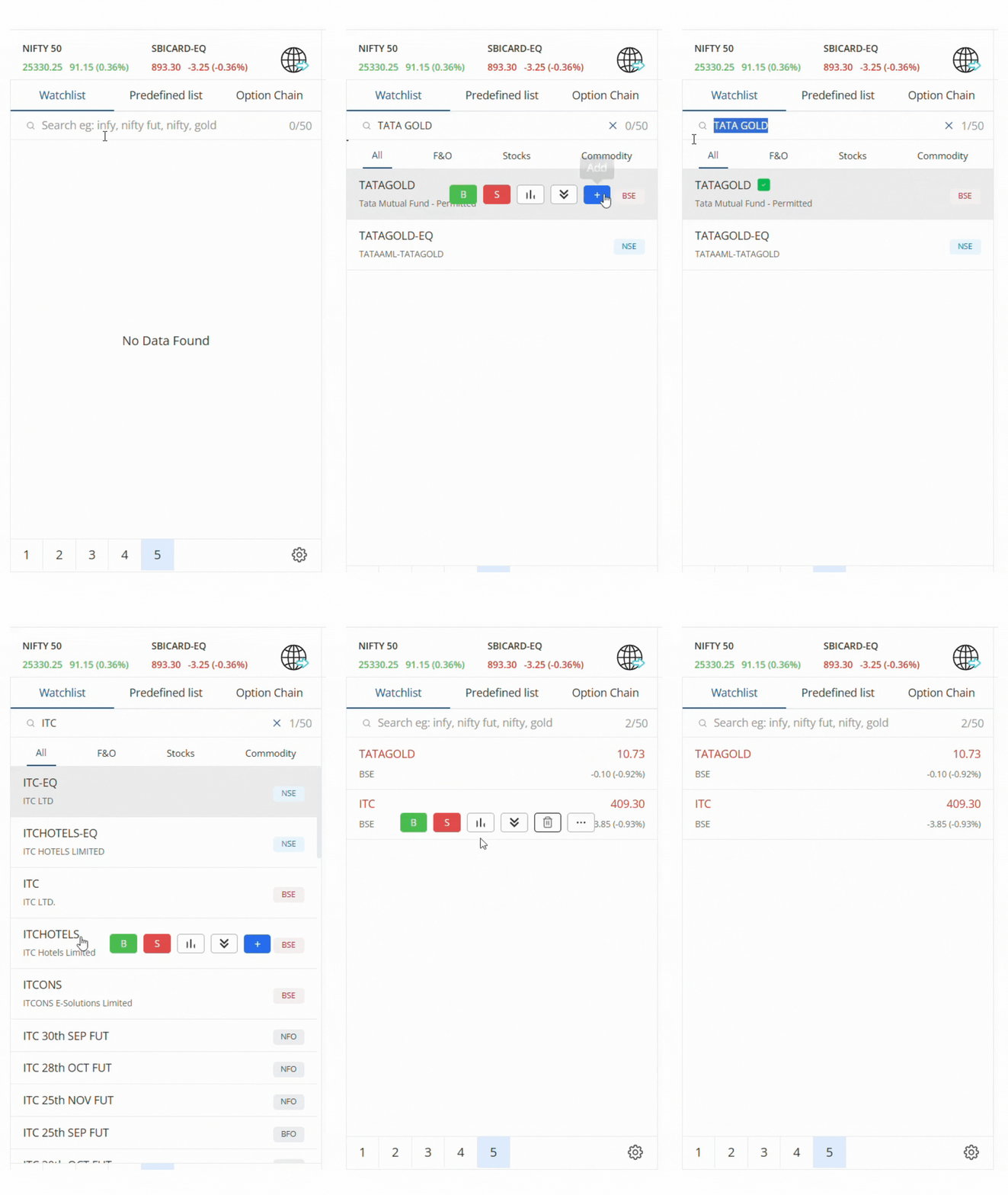
To add your preferred stocks to your watchlist:
- Click on the Search Bar in the watchlist section.
- Enter the stock name or symbol (e.g., INFY, NIFTY, GOLD).
- Click the “+” (Add) button on the right.
- Your selected stock will be added instantly for tracking.
Widget in watchlist

For every stock added to your watchlist, you get quick action buttons:
- Buy (B) → Place a buy order instantly.
- Sell (S) → Place a sell order instantly.
- Chart → Open advanced charts with multiple indicators and timeframes.
- Market Depth → View live bid/ask data, OHLC, average price, and LTT.
- Menu (⋮) → Access additional options:
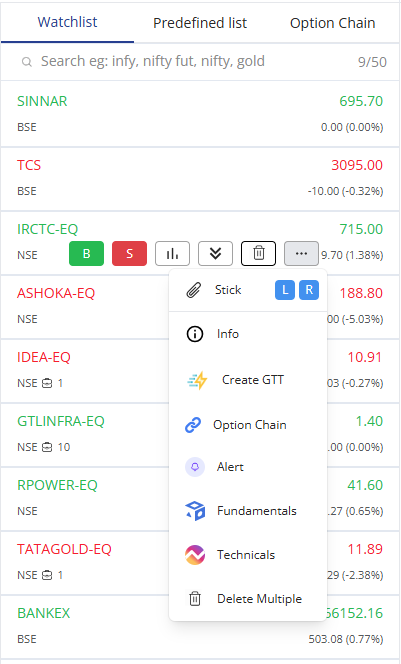
- Stick (L/R) → Pin the stock to the left or right side of the screen.
- Info → Get detailed stock/company information.
- Create GTT → Set Good Till Triggered (GTT) orders.
- Alert → Create price alerts for the stock.
- Fundamentals → View financial data and ratios.
- Technicals → Access technical indicators and analysis.
- Delete Multiple → Remove multiple stocks from your watchlist at once.
How to Delete Stocks from Watchlist?
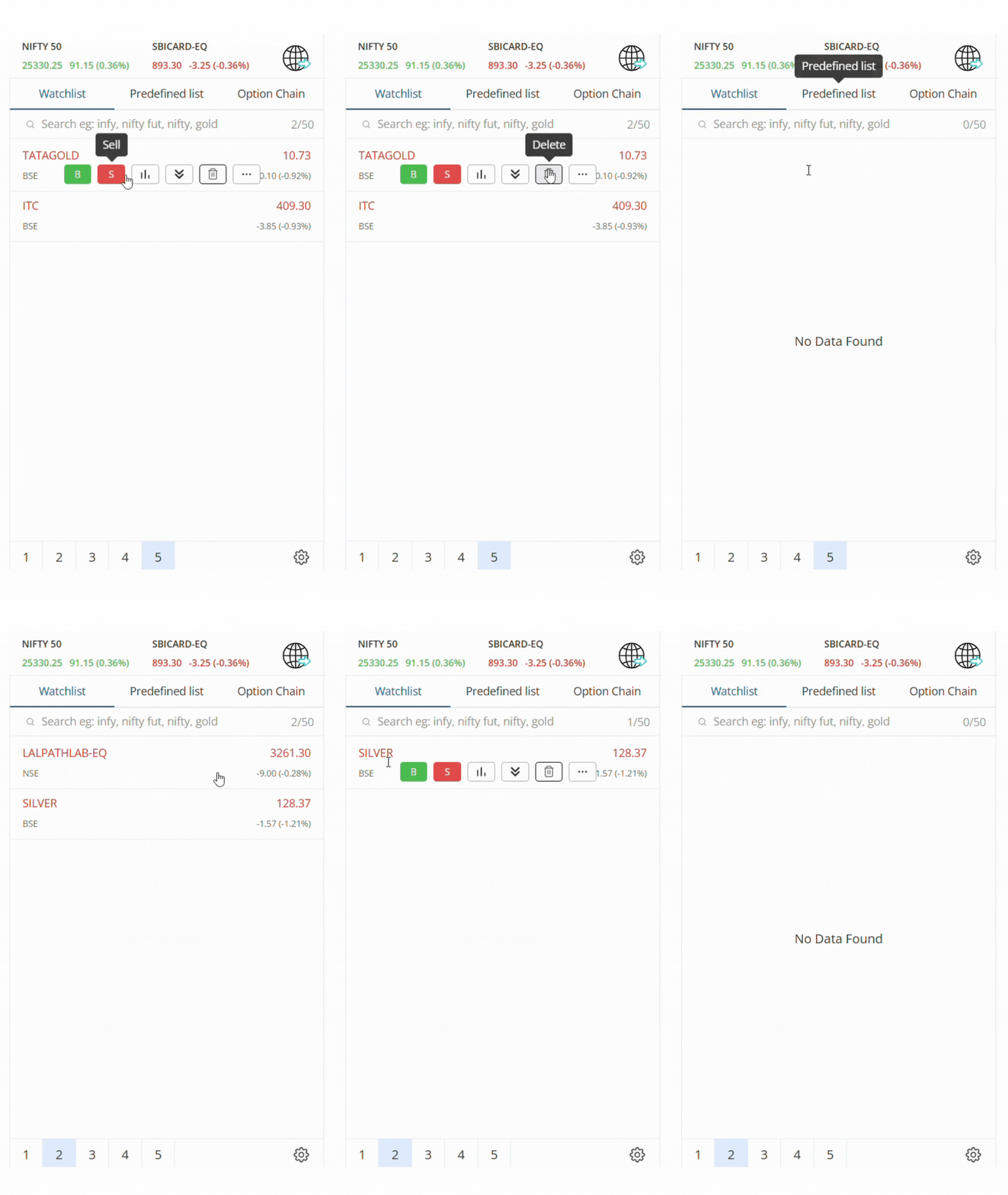
To remove a stock from your watchlist:
- Hover over the stock and select Delete, or
- Use the Settings option to manage multiple watchlists.
Predefined Lists
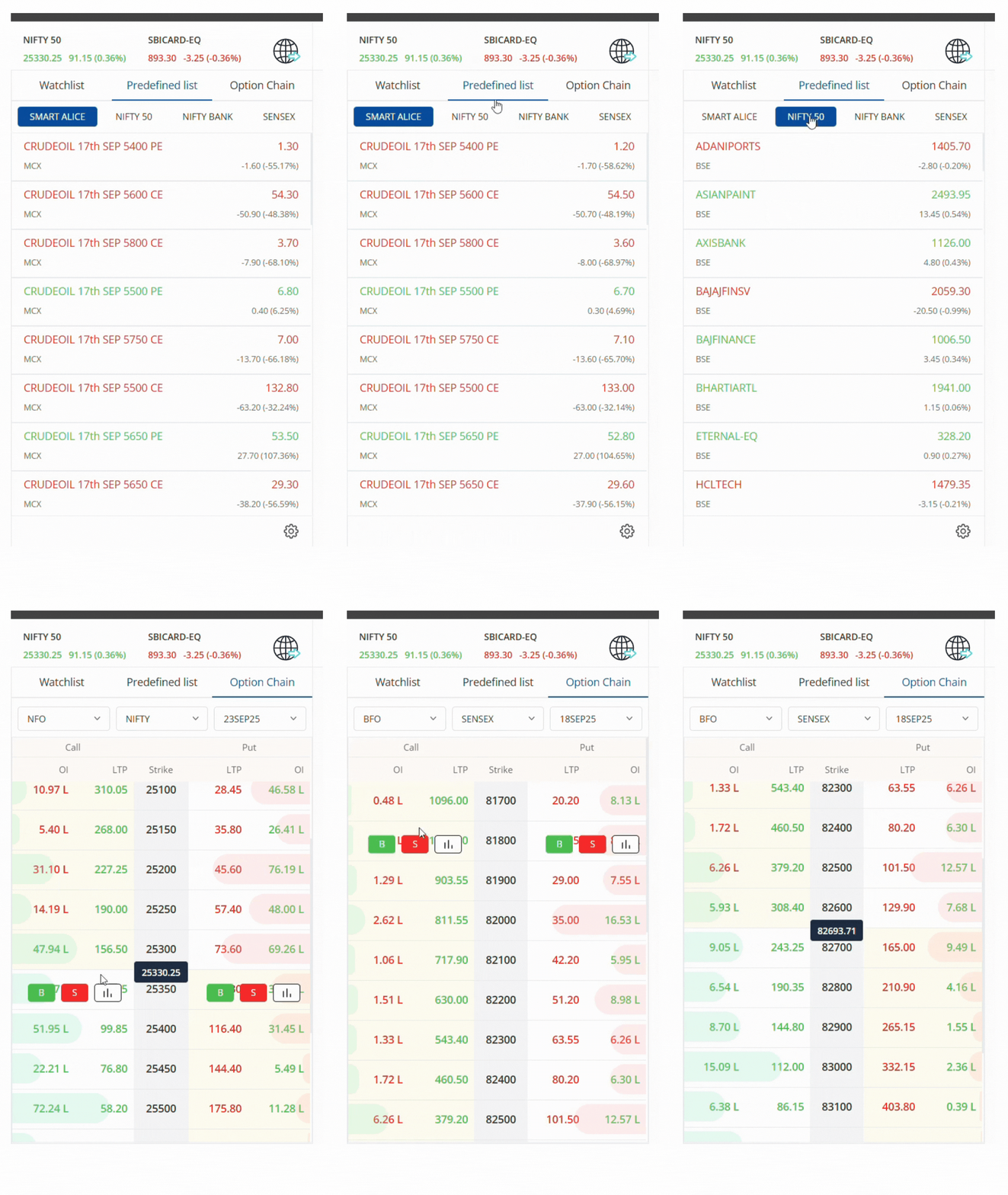
Apart from your custom watchlist, ANT also provides predefined lists for quick access:
- NIFTY 50
- NIFTY BANK
- SENSEX
- Smart Alice (custom strategy list)
These allow you to track benchmark indices and curated stock groups instantly.
Option Chain
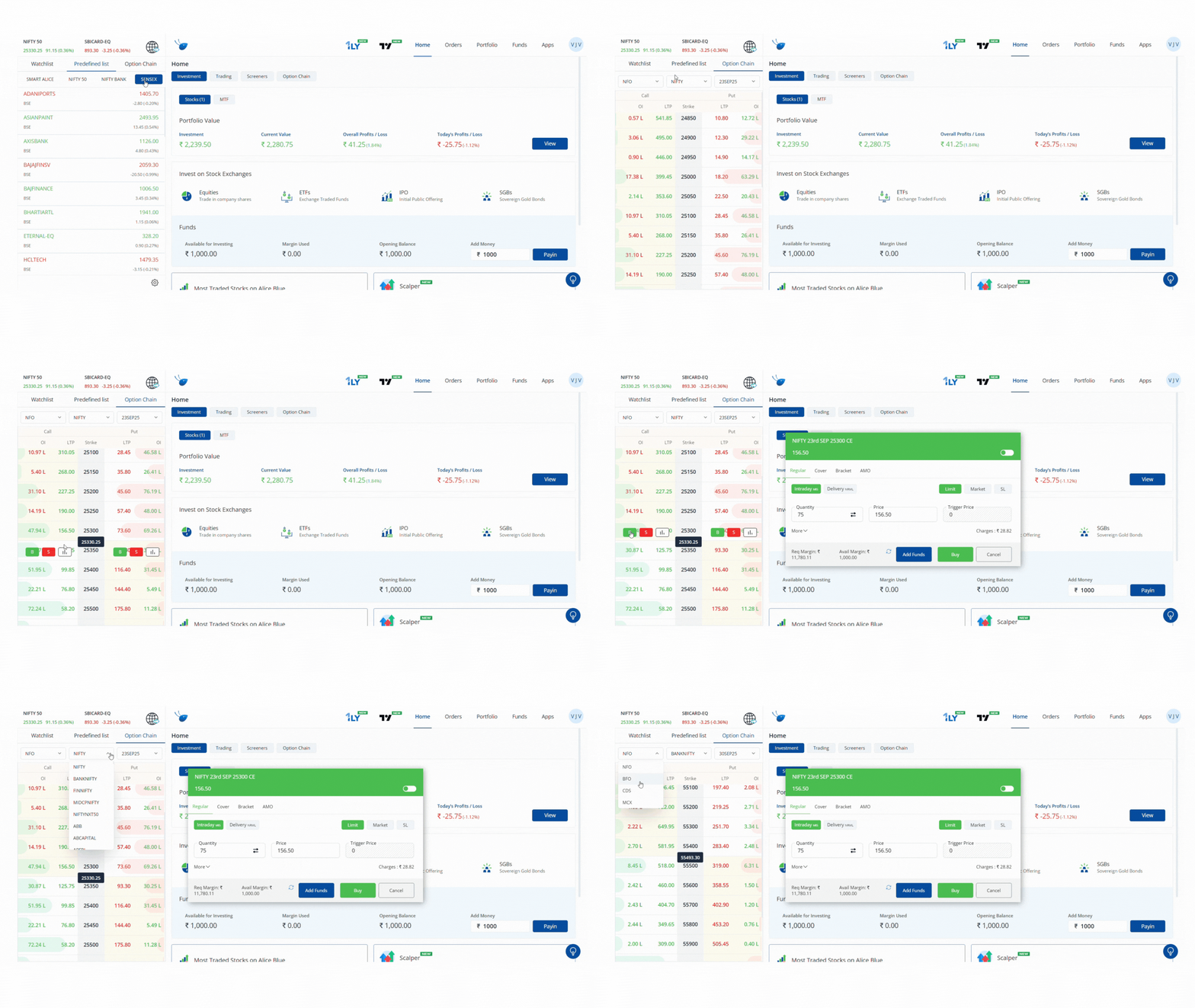
From the Option Chain tab, you can view real-time market data for F&O contracts:
- See Call & Put OI (Open Interest)
- Check LTP (Last Traded Price)
- View Strike Prices in the center for easy comparison
- Monitor market movement with green (gainers) & red (losers) highlights
Multiple Watchlists
ANT allows you to create and manage multiple watchlists for better organization:
- Add up to 50 scripts per list.
- Create, rename, or delete lists easily from Settings.
- Switch between watchlists with a single click.
Filter & Sorting Options in Watchlist
You can customize your watchlist view:
- Sort By: A–Z, % Change, LTP, or Exchange.
- Font Resize: S, M, L, XL for better readability.
- Exchange Filter: NSE, BSE, MCX, NFO.