GettingStarted
ANT Trading App is a fast, intuitive, and feature-rich trading platform designed to deliver a seamless trading experience. With a clean interface, responsive design, and lightning-fast performance, ANT empowers traders to act with confidence. It offers real-time market data, advanced charting with 100+ technical indicators and multiple chart types, and ultra-low latency order placements in just milliseconds. Trusted by millions of users, ANT processes millions of trades every day with reliability and efficiency—making it the go-to platform for both beginners and professional traders.
Welcome email
After creating an account, a welcome email is sent to the registered email address. To get started, click the ANT now button.
The page will be redirected to set up the password and If you are a first-time user or need to reset your password, click on "Forgot Password." Fill in the required details, and click "Reset" to generate a new password. You will receive this new password in your registered email address with us. See How to login into ANT Web
Login
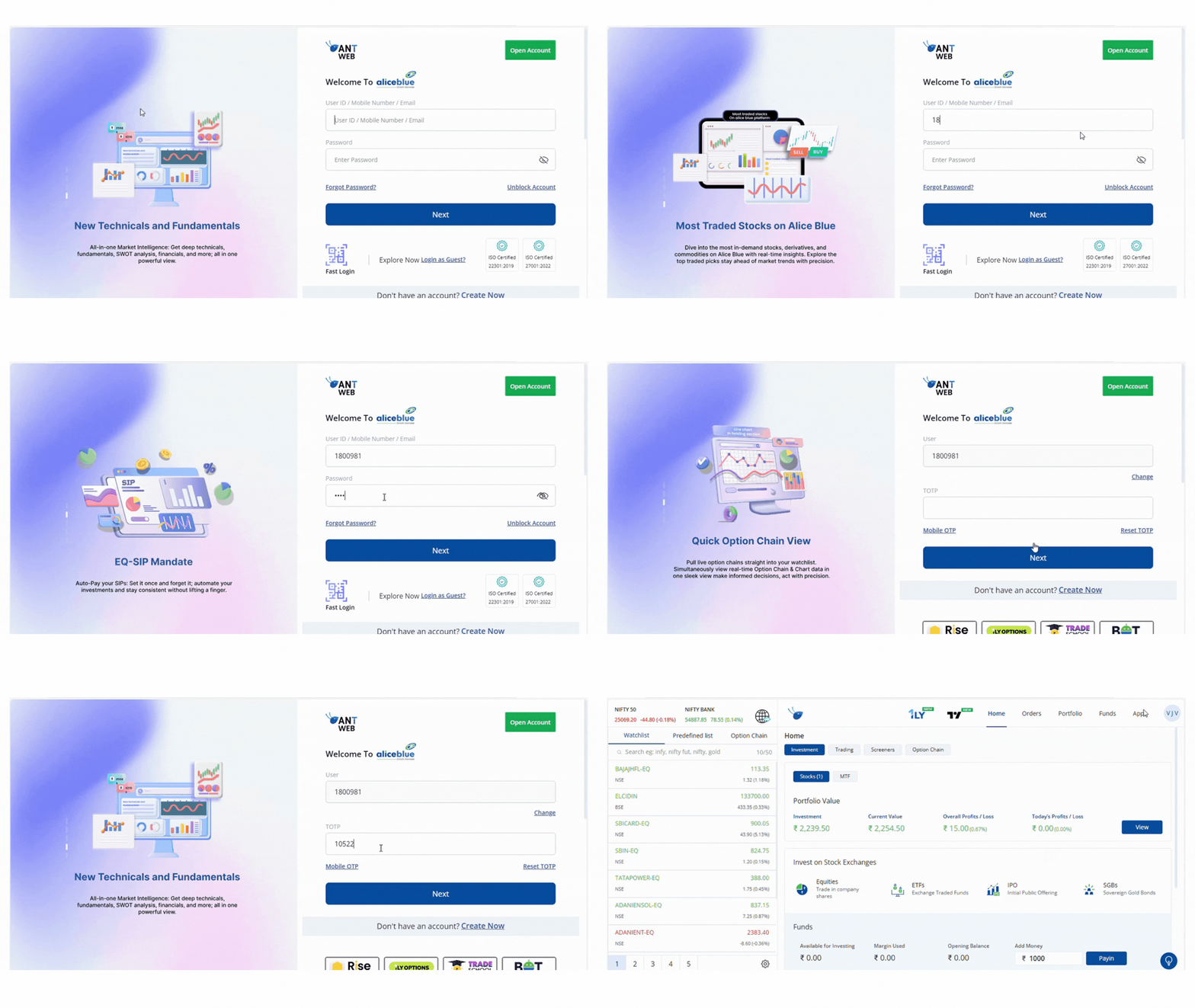
To log in to ANT web, follow these steps:
- Visit ant.aliceblueonline.com
- Enter the User ID and Password.
- Click on Login.
- Enter mobile OTP or TOTP.
To know more about TOTP, see What is a TOTP & how to register and authenticate for ANT
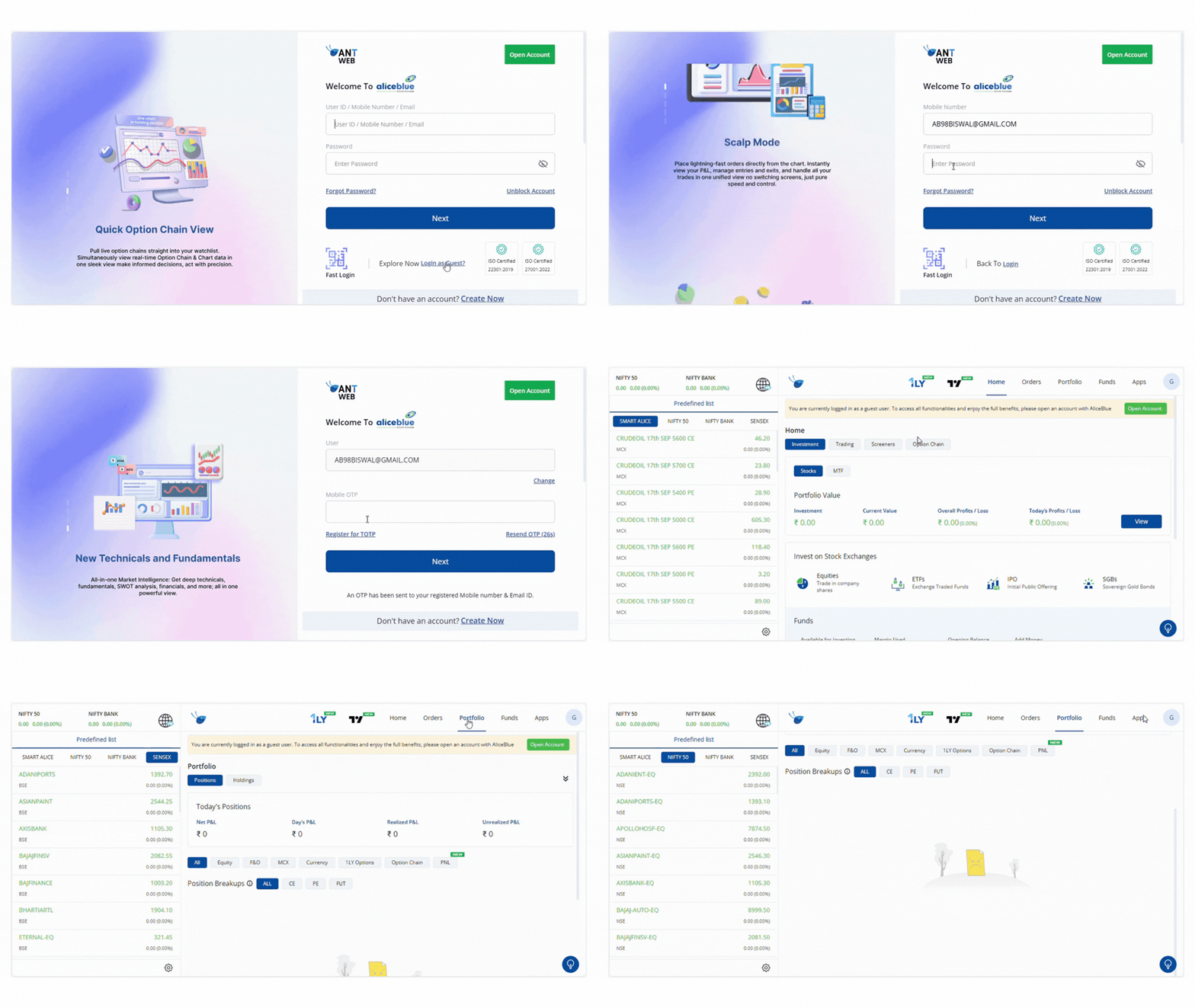
ANT Tour - Guest Login
To access Guest Login on ANT Web, follow these steps:
- Visit ant.aliceblueindia.com
- Click on guest Login
- Enter your Mobile Number and Password.
- Verify with the OTP received on your registered mobile.
- Click Next to proceed.
Enjoy the app tour and explore ANT Web.